
How ControlLayer Works
Three moving parts: a one-time instrumentation of your automations, a wizard that opens governed bypass windows, and an engine that enforces, expires, and reconciles them - automatically.
Make an automation bypass-aware
You decide which automations participate. Each one gets a single, tiny ControlLayer check - added once, never touched again.
One extra clause in the rule formula. The footprint is one merge field and one function call - negligible against Salesforce's formula limits.
Record-triggered flows add the same clause to their entry condition, so a bypassed flow never even starts. Autolaunched and screen flows drop in a packaged invocable action.
One guard line at the top of the handler. Cache-backed, no SOQL, safe at any data volume.
AND(
    NOT(CONTAINS($Setup.itcl__vControl__c.itcl__Objects__c, ";Account;")),
    ISBLANK(Phone)   /* your original rule logic, unchanged */
)
A governed validation rule. The default is always enforce - the rule is only suppressed while an active window explicitly lists its object.
Open a bypass window in the wizard
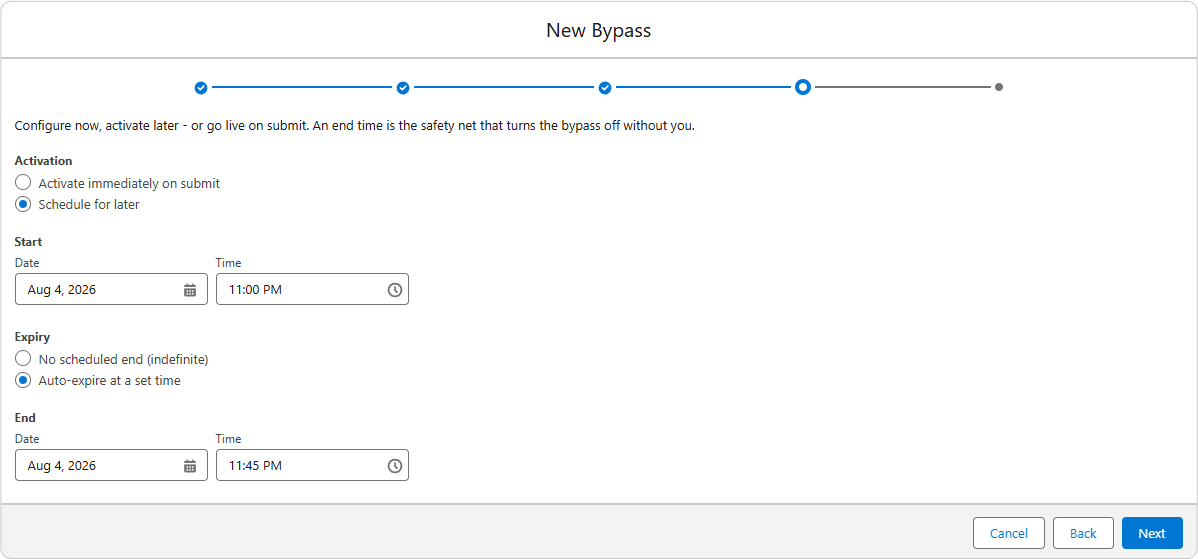
When a data load or fix needs automation out of the way, an authorized admin opens a window. The wizard walks through five decisions:
What
One automation category per window - validation rules, flows, or triggers - and the specific objects it covers. No blanket "bypass everything" option exists, by design.
Who
Organization, a profile, or a single user. Narrower scopes supersede broader ones, so a user-level window masks org-level behavior for that user only.
When
Start immediately or schedule for later. Set an end time, or leave it open and let your org's maximum-duration guardrail cap it automatically.
Why
A reason is required on every window. It persists through the window's entire life and into your audit reporting.
Org defaults - maximum duration, required end dates, objects-per-window limits - are enforced at creation time. A request that violates policy never becomes a live bypass.
Enforcement is computed, never hand-edited
Behind the scenes, ControlLayer maintains three enforcement settings - one per automation category - resolved through Salesforce's native org / profile / user hierarchy. Your governed automations read them at runtime; only the engine writes them.
Activation
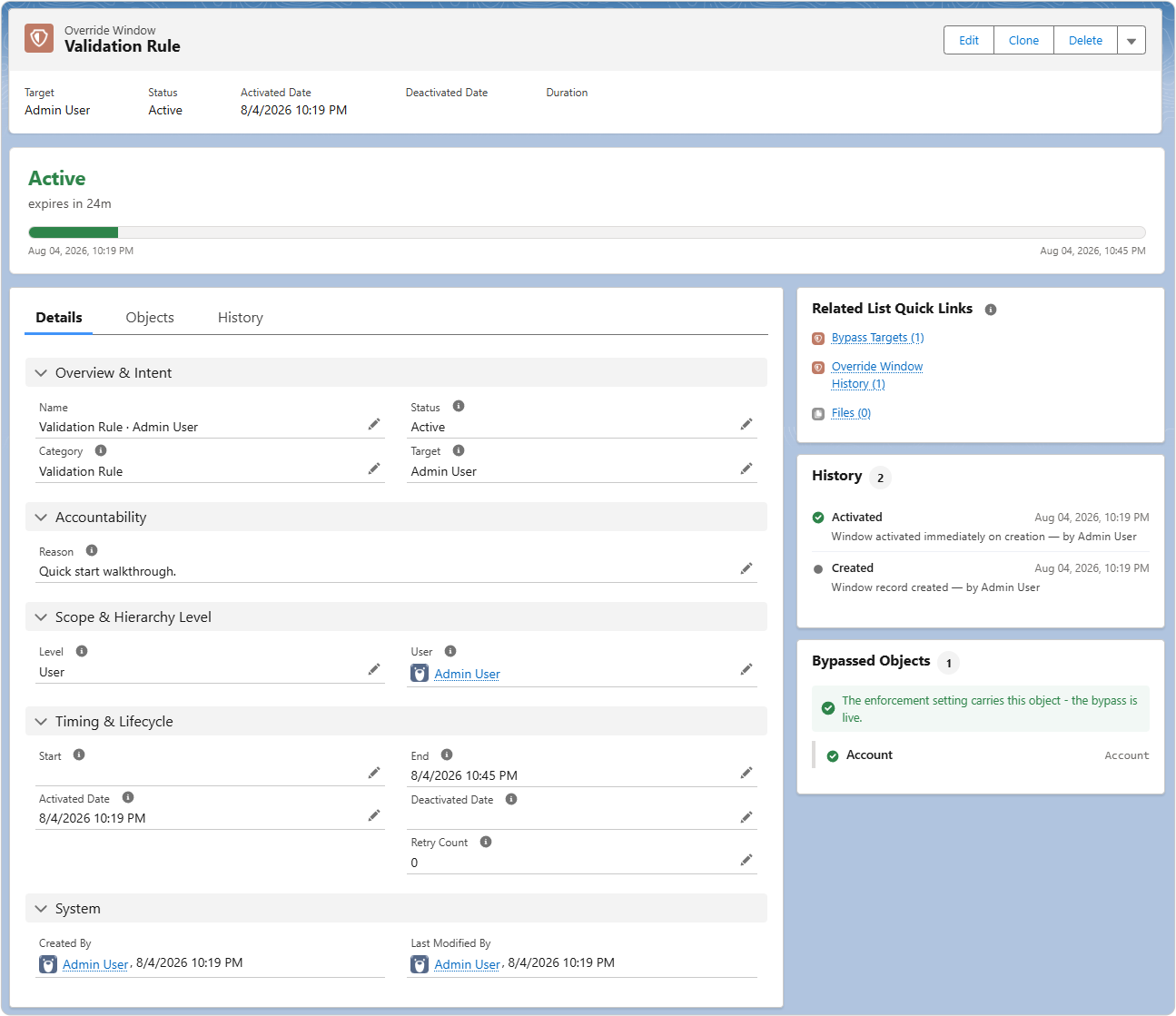
Immediate windows go live on submit. Scheduled windows are activated by the engine when their start time arrives.
Recompute
Every activation and expiration triggers a full recompute of enforcement state from all active windows - deterministic, no deltas, no drift.
Expiration & restore
When a window's end time passes, the engine expires it and enforcement snaps back. Nothing depends on a human remembering anything.
Self-healing, watched, and recoverable
- Reconciliation every cycle: the engine continuously verifies that live enforcement exactly mirrors the set of active windows, and corrects any drift - including manual edits to the underlying settings.
- Error recovery: a window that hits a failure retries automatically up to your configured ceiling, then waits visibly for an admin rather than failing silently.
- Engine health surface: the dashboard shows scheduler health at a glance, and warns you if the engine ever stops running.
See it in your own sandbox
The best demo is your org, your rules, your data load. Early access includes a guided setup session.
Get Early Access